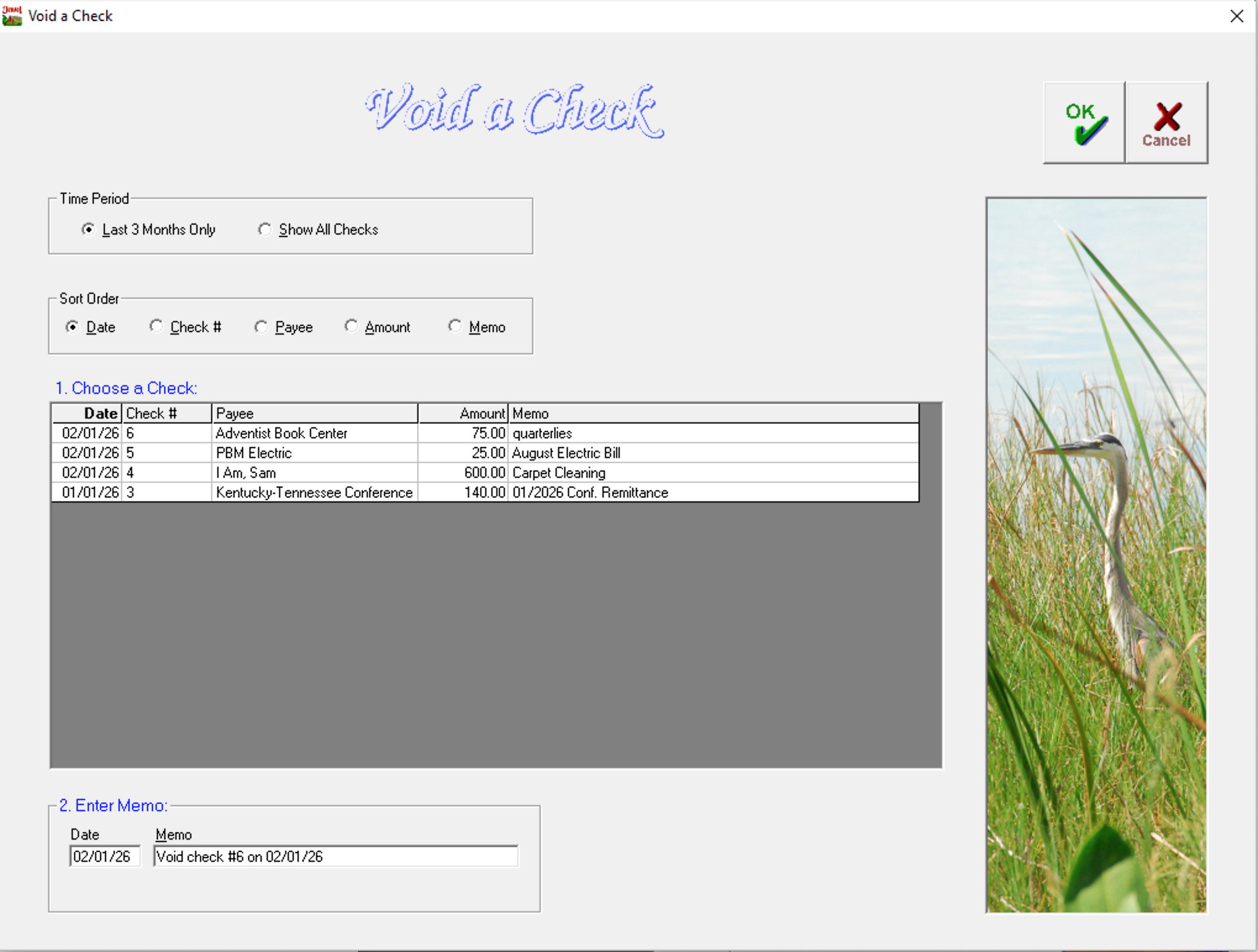
If you need to void a check that you have previously written, whether in the current month or in a previous, already closed month, go to Accounting / Void a Check.
- Use the sort options to find and select the check you wish to void.
- Verify that the date and memo accurately record what you are doing.
- Click OK.
- Verify the information in the pop-up, and click OK again.
The check you selected has been recorded as void. Jewel will either edit the check to make the amounts $0 (if the check is in the current month) or record a new transaction in the current month to cancel out the check that you're voiding.
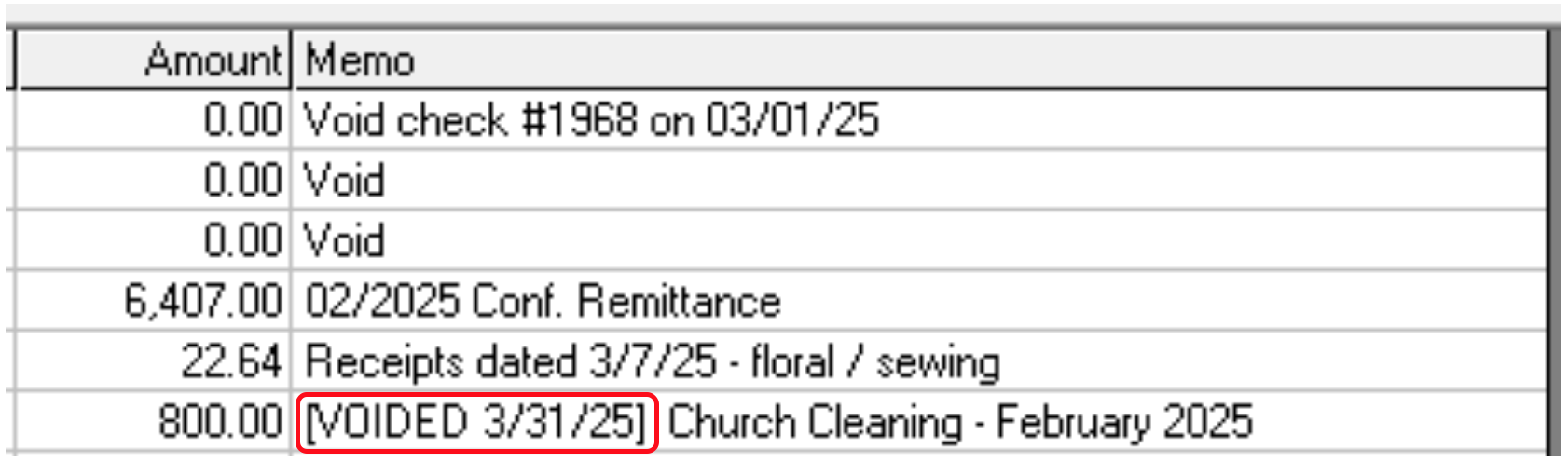
When you go back after voiding, you will still see the check on the list, but the memo line will say VOIDED. This means you have successfully voided the check.
NOTE: Even after step one is successful, the voided check does not disappear from the Void a Check screen. It must be cleared during a reconciliation in order to leave the “uncleared” checks list.
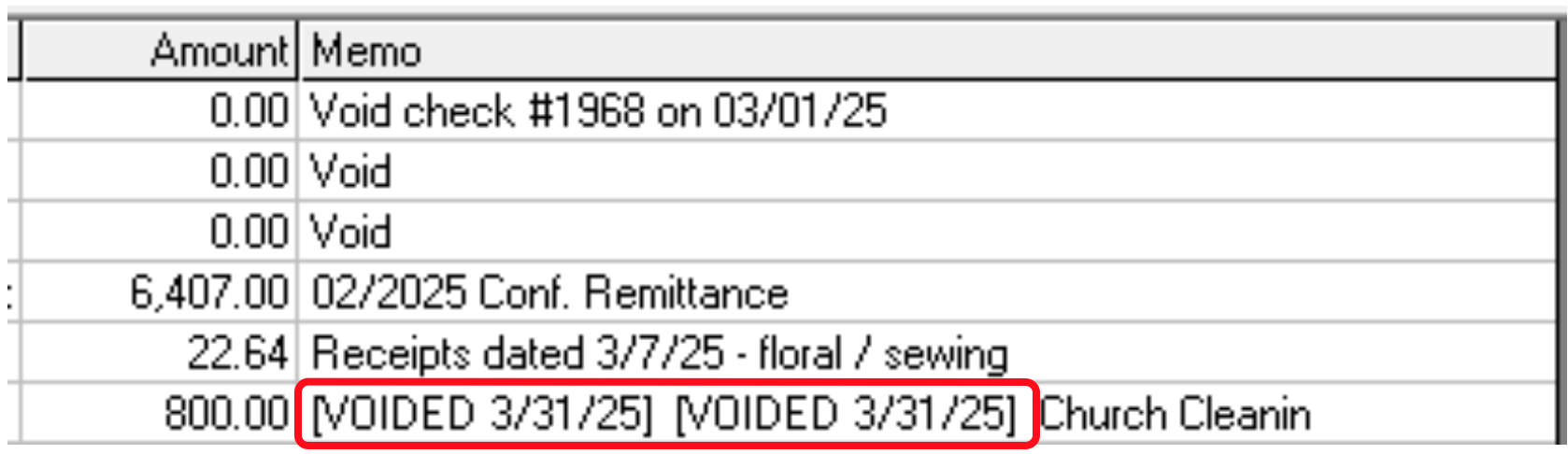
If you still see the check on the bank rec screen, assume that it didn’t work, and void it again, the memo line will now say VOIDED twice! This means that your database now has $800 more than it should, and this will need to be manually reversed in order to fix. This should be avoided if at all possible. Don’t void an already voided check.
¶ Reconcile the Voided Check
- Find the original check towards the top of the “Checks Written and Bank Fees” section on your reconciliation page.
- Find the adjusting entry down towards the bottom of the same list. It will be a negatively numbered check that has a negative total, and the payee name will either match the void check or will be blank.
- Check them both off. They cancel each other out to equal zero, and your reconciliation can continue without being affected by either of them.
- If there are any “void” checks with a zero amount, you can check them off during any bank rec.