When a church obtains a credit card, the purchases can be recorded and managed in Jewel one of two ways.
Summary Version: Monthly purchases are reported on the statement. The monthly balance is then paid by a check or electronic payment, and the various purchases are combined and posted to appropriate local funds using the “Account” lines on the check. This is the method described on this page.
Detail Version: The credit card is set up as a bank account in Jewel. Each individual purchase is entered as an “electronic payment,” and the account is reconciled monthly. Click here for instructions for this method.
The method of credit card entry that a church chooses should be based on:
- How much the card is utilized – the monthly ending balance owed
- How many separate credit cards are in use
- How much detail for budgeting and tracking the board wishes to have
- The organizational capabilities of the local church treasurer
¶ Summary Version
Credit card purchases are listed on the statement and paid either by check or by electronic payment.
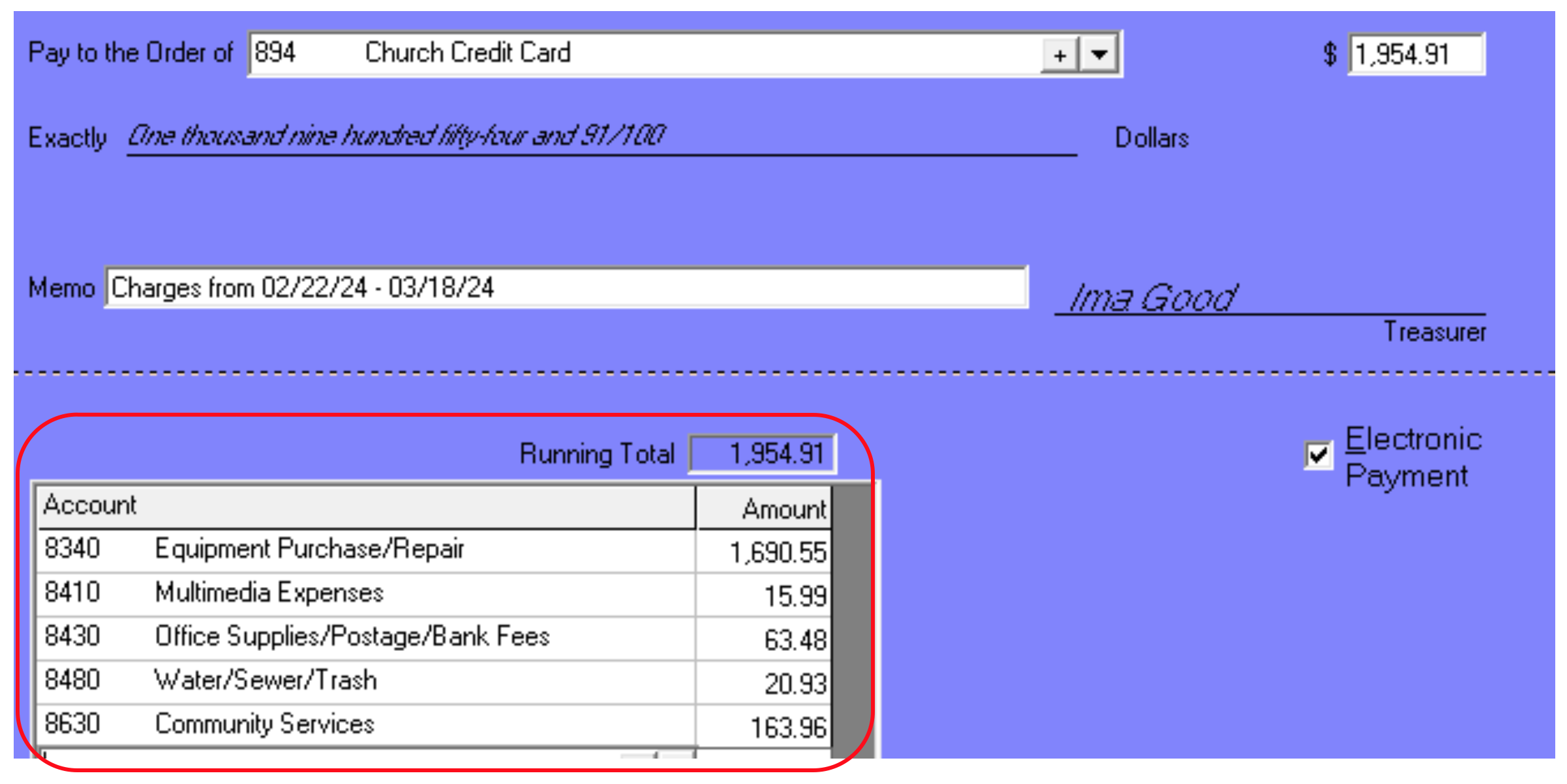
Example: In this fictional situation, multiple purchases, totaling $1954.91, were made, listed on the statement, and paid using a single electronic payment.
The individual receipts were tallied, then posted by the treasurer so that each local fund/department could be charged for their purchases. (This link can help speed up entry.)
The check (or electronic payment) date should match the actual date of payment. And the memo should show the statement due date, or the dates of the charges (pick one and use it consistently).
¶ Advantages of Summary Entry
- Simplicity. Any treasurer can learn to use it successfully.
- No special setup in Jewel is required.
- If the card has limited use by only one person (for example, used by the treasurer for a few online purchases only) this method can provide adequate documentation.
¶ Disadvantages of Summary Entry
- When there are multiple credit cards, there is no way, from the Jewel monthly reports alone, to identify the users of each purchase.
- No detail is available to the board as to what was purchased or the name of the vendor.
Click here for how to manage credit card payments, receipts, and documentation.
Click here for more topics related to Credit Cards
The original version of this page was provided to Jewel by the Georgia-Cumberland Conference Audit Team. Created by Linda McCabe.